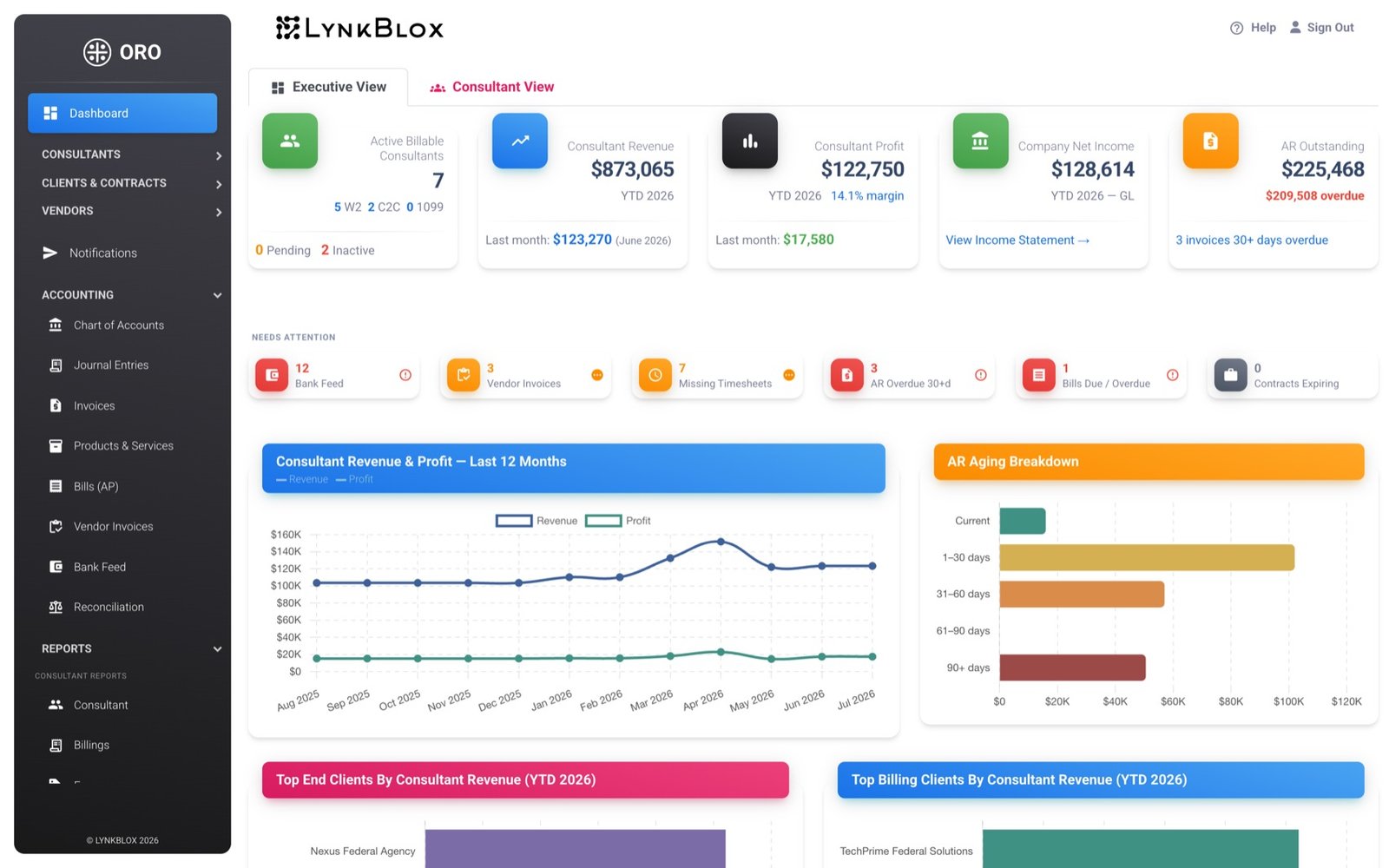
ORO is one system for the people you place, the subcontractors you hire, and the books you close. An approved timesheet becomes an invoice becomes a reconciled payment — without anyone rekeying it into a second tool.
Live in weeks, not quarters. Your data stays in its own database.
Hours in → ledger out, with nothing retyped along the way
Consultants enter time against the contract task they're actually working, plus leave and expenses.
ORO TimeA manager approves the period. Approved hours are now billable — and locked.
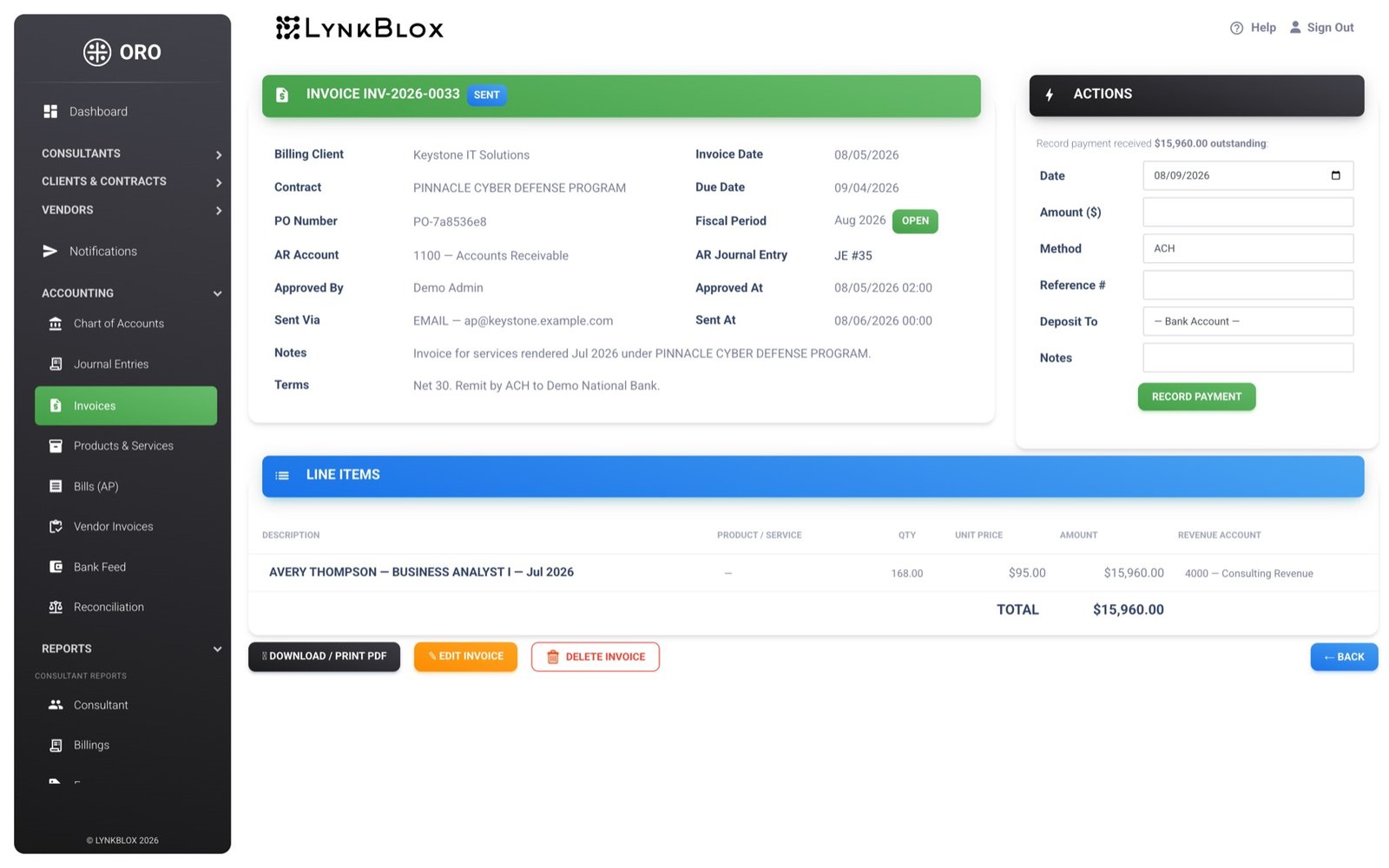
OROHours become invoice lines at each consultant's contracted rate and labor category. The receivable posts itself.
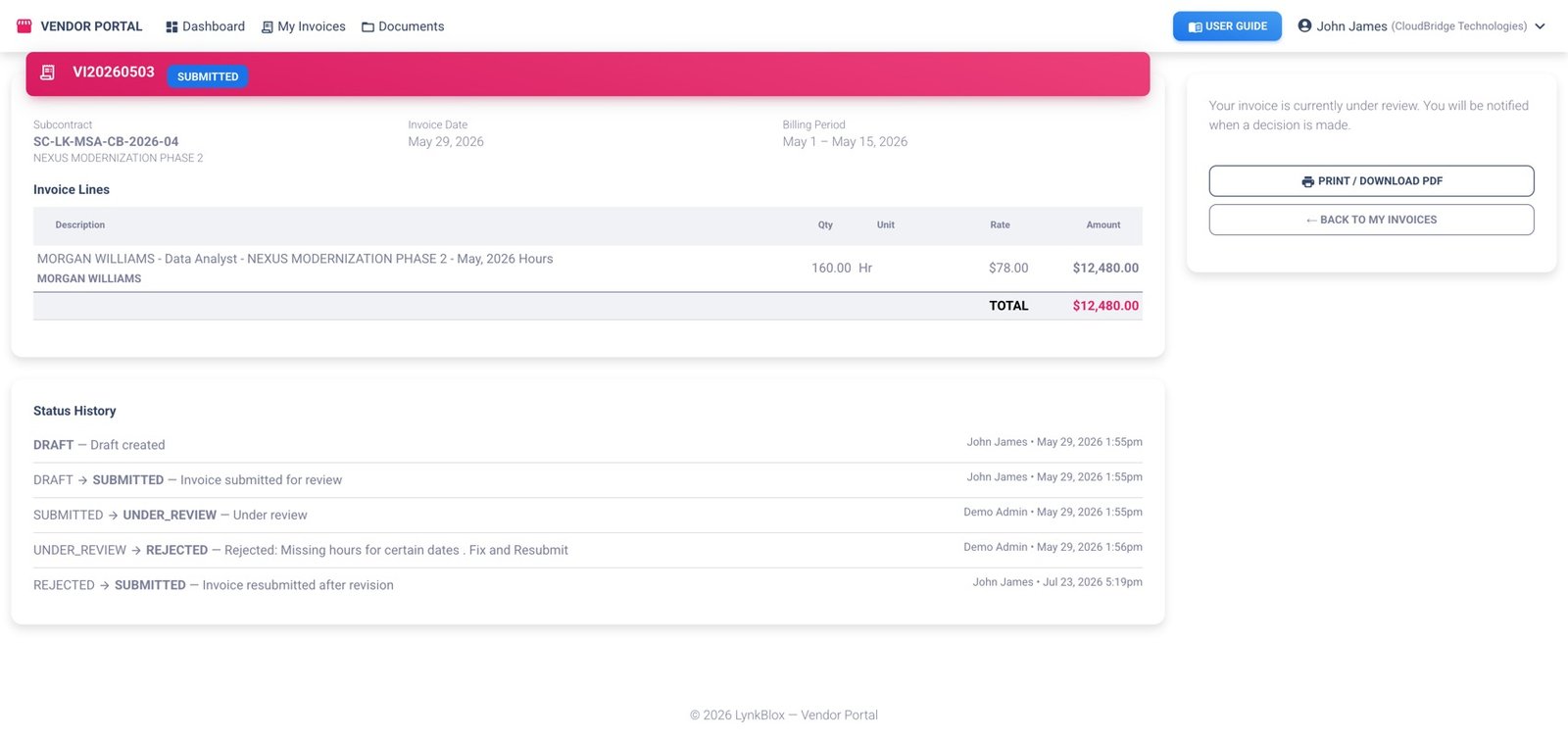
OROSubcontractors submit against their own subcontract and upload documents. Approve it and it books as a bill.
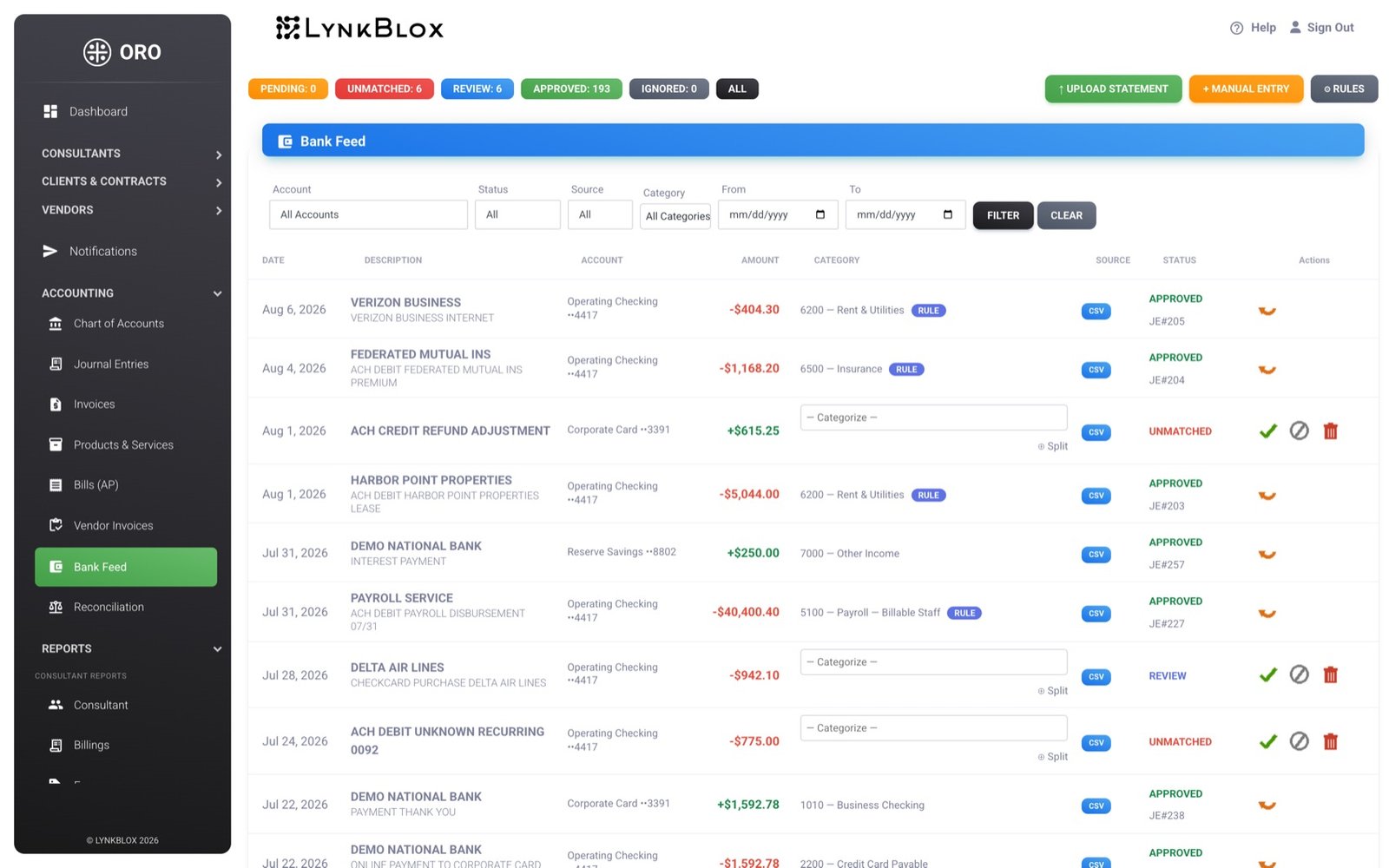
Vendor PortalThe bank feed matches the payment, the ledger updates, and the vendor's invoice flips to paid on its own.
ORO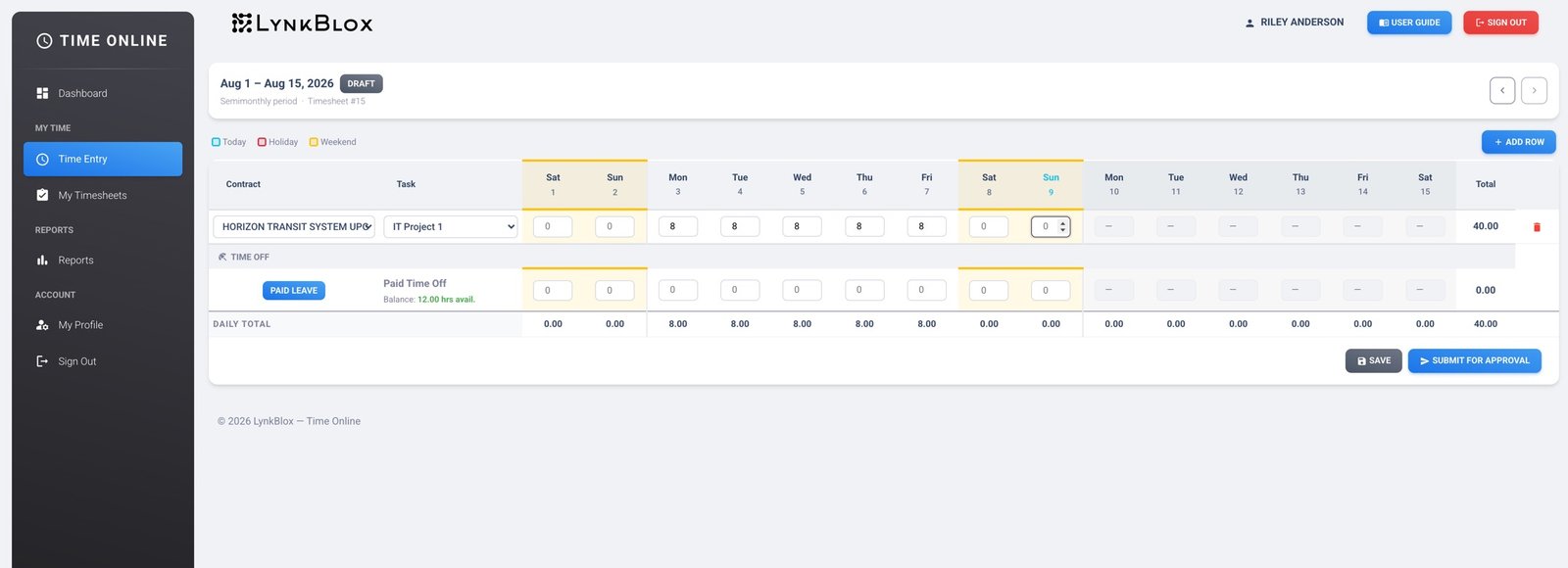
The stack most firms your size are running right now
| Today | With ORO |
|---|---|
| Accounting package that has never heard of a labor category | Bill rates, pay rates and labor categories per consultant, per contract |
| A separate time tracker that doesn't know what anything bills at | Time logged against the contract task, priced automatically |
| Subcontractor invoices arriving as PDFs by email, then rekeyed | Subs submit in a portal; approval books the bill |
| A spreadsheet tracking who's billable and who's on the bench | Assignments, rates and utilization held against the contract |
| A calendar reminder for insurance and registration expiry — if you're lucky | Compliance items tracked per contract, flagged before they lapse |
| Month-end spent reconciling three systems against each other | One ledger that was already reconciled as the month happened |
Your staff, your consultants and your subcontractors each get their own way in
Where the business is actually run — contracts, people, money.
The one place your billable people have to visit — so they actually do.
Stops sub invoices from arriving as email attachments you retype.
Most firms close the month on the 20th. The point of ORO is to close it on the 3rd.
Why we built it
The capabilities that carry a number from a timesheet all the way to a financial statement
Approved hours carry their consultant, contract and rate all the way onto the invoice line, so every number on a client invoice traces back to the timesheet that produced it.
Labor categories · bill and pay rates · billable percentage · period locking
Your subs work in their own portal against their own subcontract. Approve an invoice and it becomes a bill; pay the bill and their invoice marks itself paid. Nothing is set by hand.
Subcontract ceilings · rejection with reason · document upload · workflow log
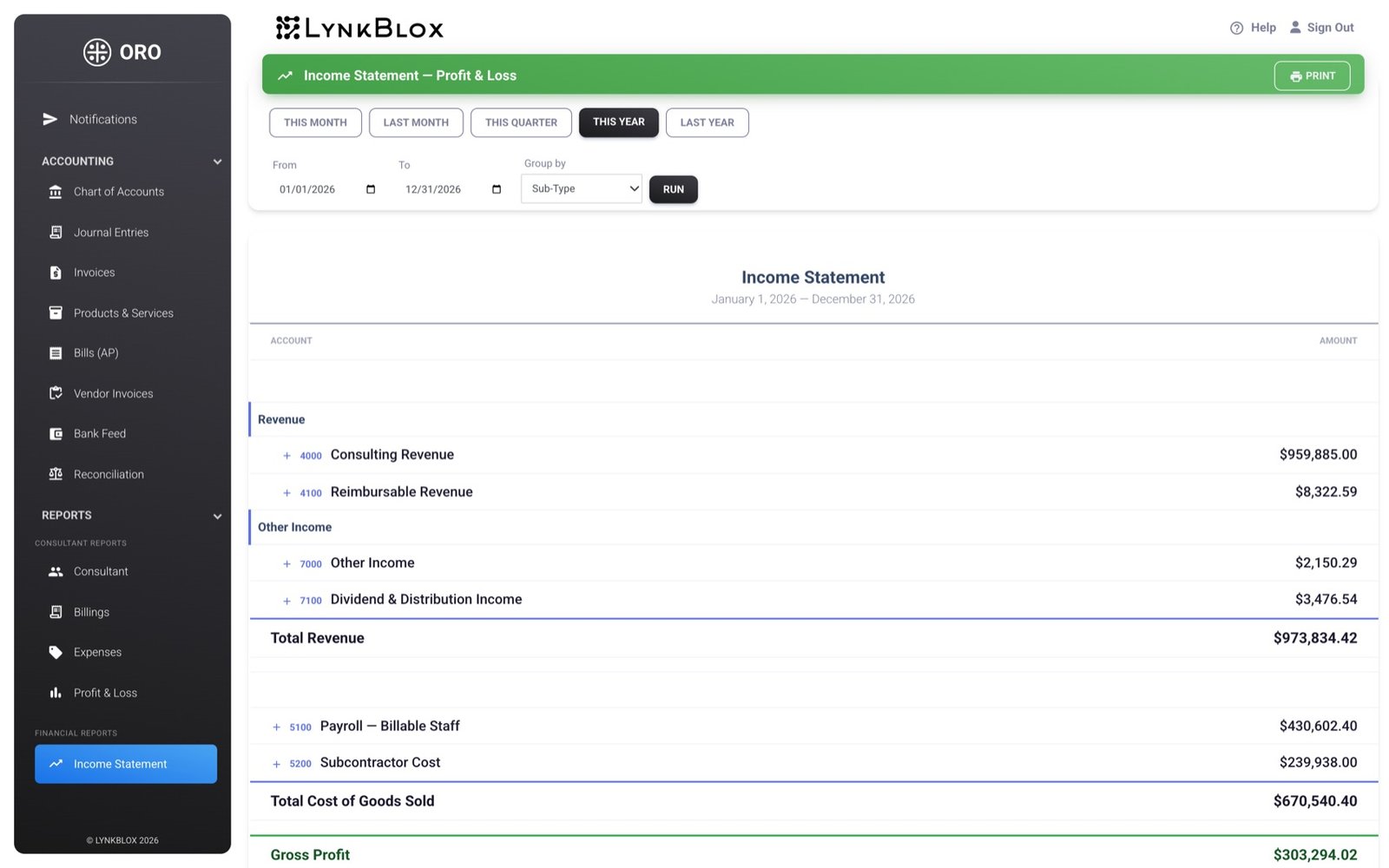
Connected bank feeds bring transactions in, rules and learned patterns categorize them, and what's left waits in a review queue. Everything posts to real double-entry journal entries.
Bank feeds · categorization rules · reconciliation · four financial statements
Insurance certificates, registrations and clearances are tracked against the contract that requires them, with expiry dates that raise their hand before they become a problem.
Per-contract items · expiry alerts · status escalation · document trail
Before you book
They get an income statement, balance sheet, trial balance and general ledger straight out of ORO, off real double-entry postings. Tell us on the demo how your accountant works today and we'll walk through exactly what they'd receive.
They get paid faster when they do, and that turns out to be persuasive. Each sub is invited by email, sees only their own subcontract, and submits an invoice in about a minute. Firms that were retyping PDFs get the time back immediately.
Weeks, not quarters. We set up your chart of accounts, contracts, consultants and rates with you, then bring in opening balances. Onboarding is hands-on and priced separately so it isn't something you do alone.
Every customer gets their own database. Your consultants, contracts and financials are never in a shared table with another firm's, which also means your data can be exported or handed back as a unit.
No. Most firms start at a clean period boundary, bring in opening balances and active contracts, and leave prior years where they are. If you want history migrated, we'll scope it.
Pricing scales with the number of consultants you're tracking, plus a one-time onboarding fee. We quote on the demo once we've seen how many people and contracts you're running.
Bring a real contract and a real subcontractor invoice to the call. Twenty minutes is enough to tell whether this fits how your firm actually runs.
info@lynkblox.com